
MCP Server Configuration
Seamlessly mount and proxy legacy MCP servers into the Elemm Gateway.
MCP Server Configuration
The Elemm Gateway acts as a universal bridge, allowing you to seamlessly connect legacy Model Context Protocol (MCP) servers (like Notion, GitHub, or Postgres) and proxy them through Elemm's highly optimized discovery protocol.
This dashboard provides a powerful interface for mounting, testing, and overriding these external servers.
Key Features
- Visual Form Editor: Connect servers via
stdioorssewithout manually writing config files. - Secure Vault Integration: Easily map API keys from the Elemm Vault directly into the MCP configuration.
- Interactive Tool Testing: View all discovered tools and execute test payloads directly in the browser.
- Smart Remedies: Attach custom recovery prompts (
on_error) to specific tools to help agents self-correct failures. - Bulk Migration: Paste existing configurations (e.g., from Claude Desktop) to import servers and auto-extract secrets to the Vault.
1. Form Editor
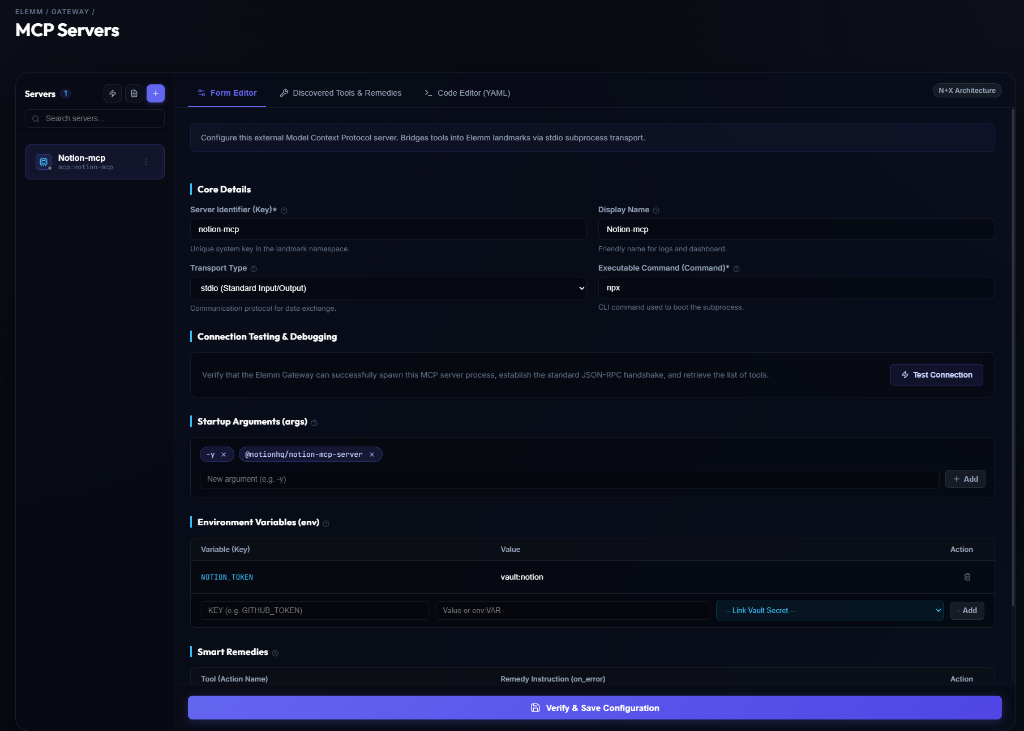
The visual form editor provides everything you need to mount an MCP server:
- Transport Types: Supports both
stdio(spawning local subprocesses likenpx -y @notionhq/notion-mcp-server) andsse(HTTP Server Sent Events). - One-Click SSE Setup: For remote servers, simply select SSE and paste the endpoint URL. The dashboard will automatically pre-fill the remaining fields. You can immediately test the connection, though it's recommended to quickly review and adjust the auto-generated display name.
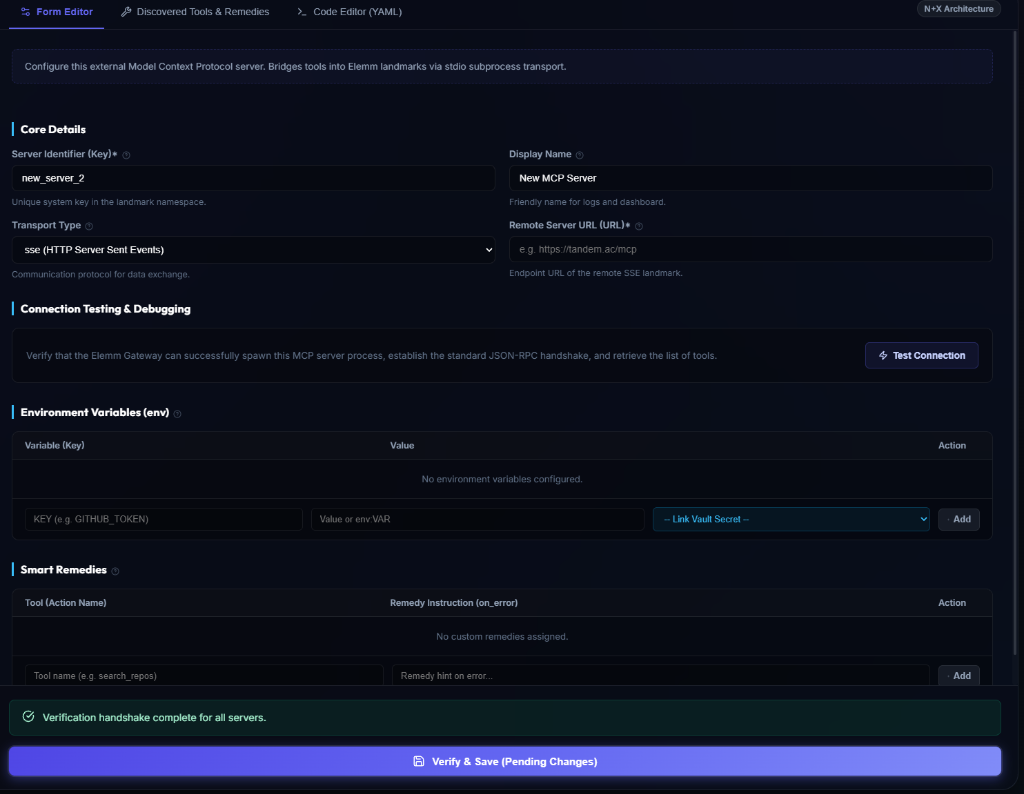
- Secure Environment Variables: Instead of storing API keys in plaintext, the editor features a live Vault Quickselect Dropdown. It automatically fetches all secrets from your Elemm Vault, allowing you to seamlessly map required keys (e.g.,
NOTION_TOKEN) directly to a secure vault reference (e.g.,vault:notion) with a single click. - Connection Testing & Validation: Click Test Connection to verify that the gateway can spawn/connect to the server and complete the JSON-RPC handshake. Note: The gateway enforces strict validation. You cannot save a configuration unless it successfully passes a live verification handshake (via the "Verify & Save Configuration" button at the bottom).
2. Discovered Tools & Smart Remedies
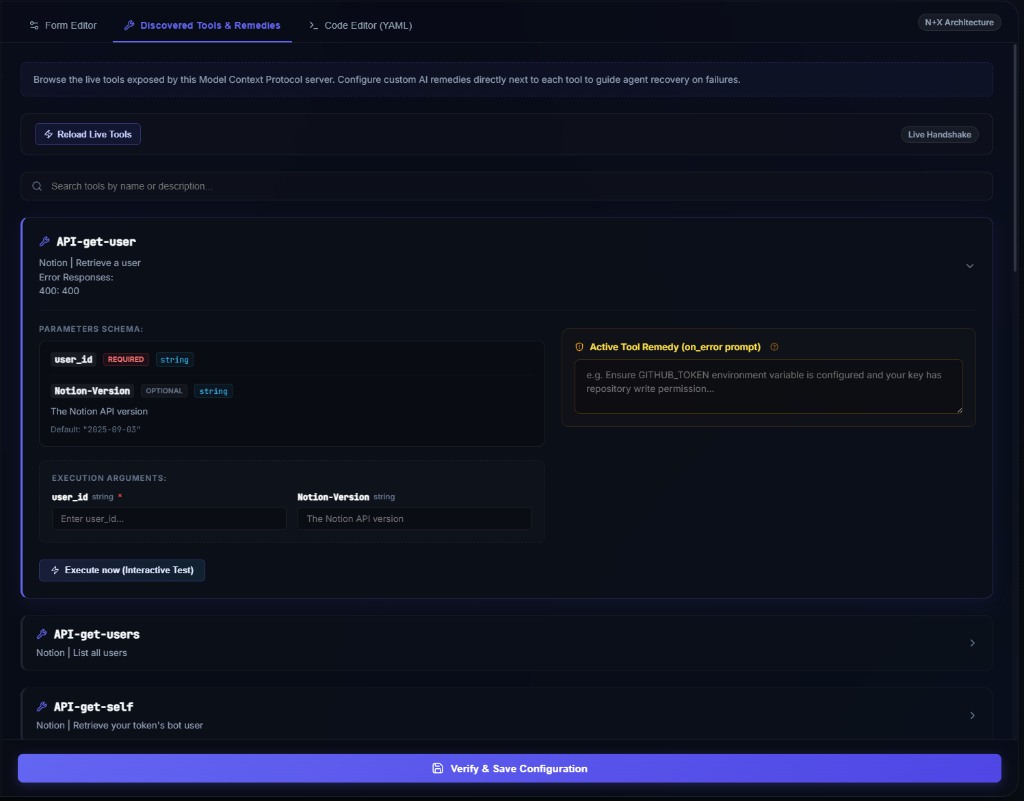
Once a server is connected, the gateway interrogates the MCP subprocess and lists all available tools. This tab allows you to do two critical things:
- Interactive Testing: Expand any tool, fill in parameters, and click Execute now to manually test the integration.
- Smart Remedies: Elemm allows you to define an Active Tool Remedy (on_error prompt) for any individual tool. If the LLM agent fails to execute the tool properly, Elemm's SmartRepair engine will intercept the error and inject this specific remedy prompt (e.g., "Ensure your key has repository write permission") to guide the agent towards self-correction on the next turn.
3. Code Editor (YAML)
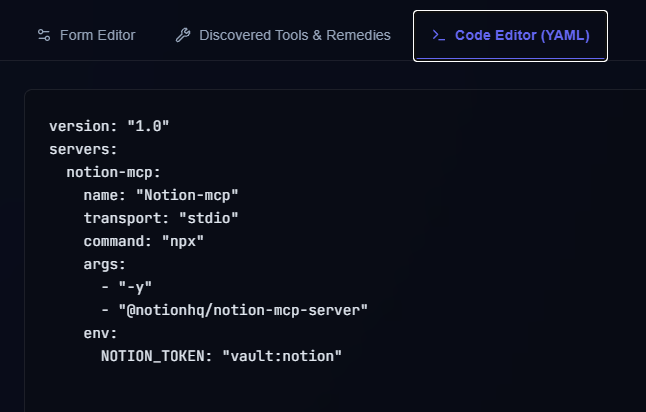
For power users, the configuration can be edited directly via the raw YAML tab. This ensures configurations can easily be copied, version-controlled, or exported to other environments.
4. Bulk Config Migration
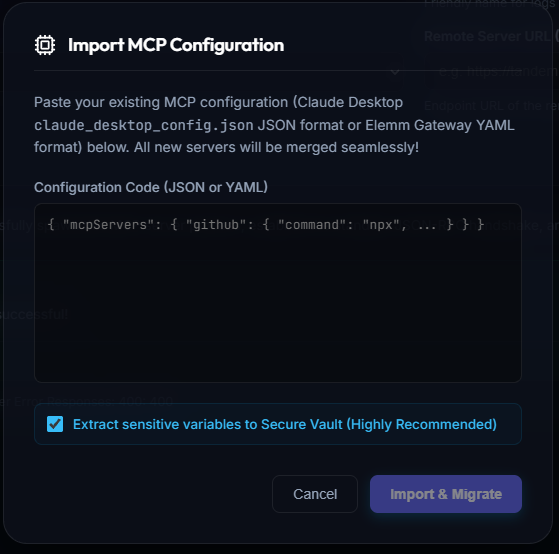
If you are migrating from existing MCP setups (like the Claude Desktop app), Elemm makes it incredibly easy:
- Import Tool: Simply open your old MCP config file, copy the JSON or YAML, and paste it directly into the importer.
- Auto-Vault Extraction: Elemm will parse the config, import all servers, and (if checked) automatically extract all sensitive environment variables from the payload, moving them securely into the encrypted Elemm Vault.