
Manifest Debugger
A complete API explorer that mirrors the agent's discovery experience.
Manifest Debugger
The Manifest Debugger is the "Swagger UI" for the Elemm Gateway. It allows you to connect to any URL (native Elemm endpoints, OpenAPI specs, GraphQL schemas, or local MCP servers) and interactively explore what an AI agent will "see" when it connects to that resource.
Key Features
- Universal Connection: Inspect standard URLs (
https://elemm.dev), OpenAPI endpoints, or localmcp://URIs seamlessly. - Visual Lazy Loading: Color-coded indicators showing which tools are fully loaded and which remain lightweight (lazy-loaded) until requested.
- Protocol Hygiene Check: Verify that automatic parameters (like
_selectfor filtering output fields) are injected correctly. - Interactive Execution: Test tools directly in the browser and inspect the exact schema the gateway returns to the agent.
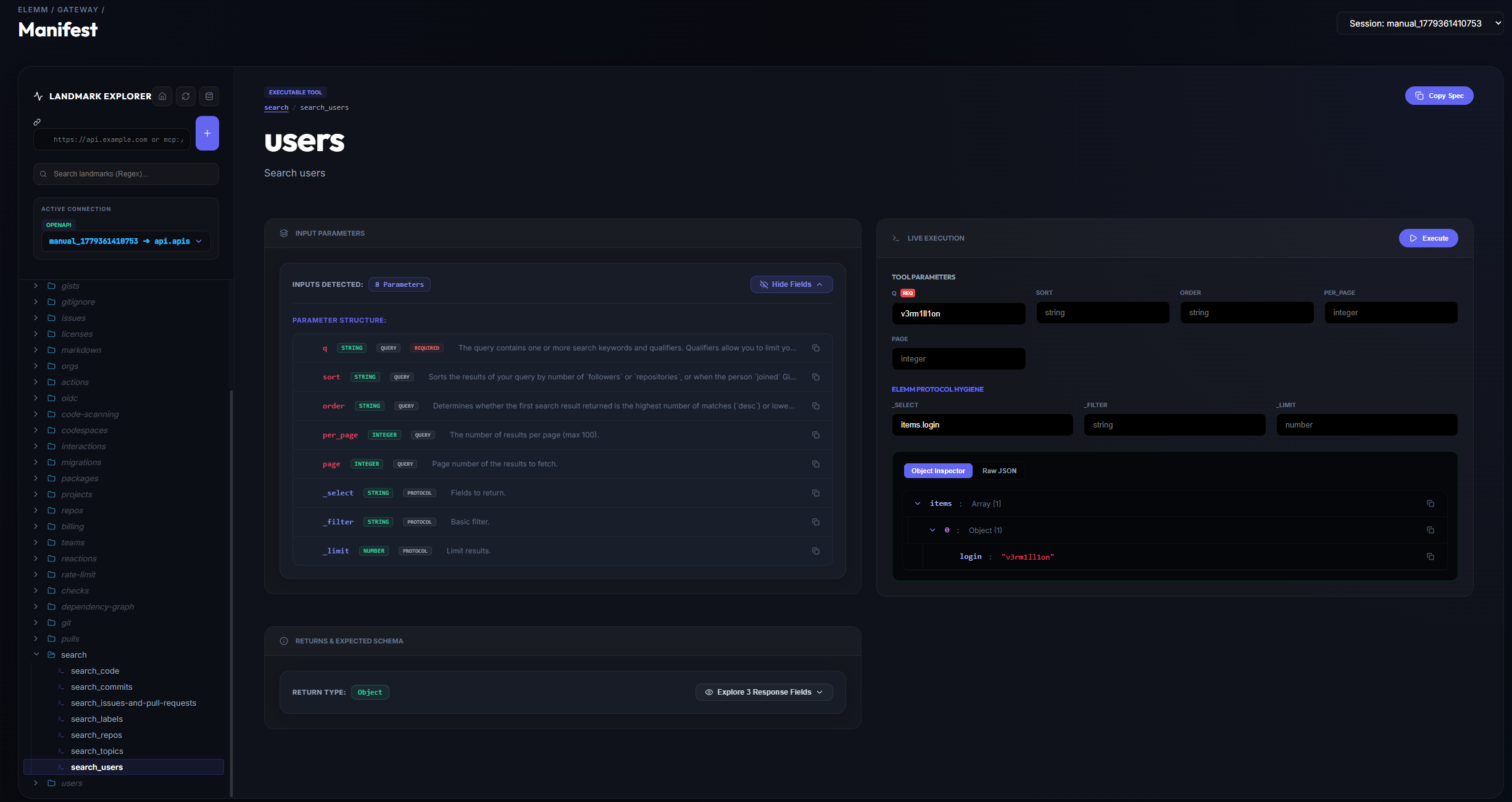
Universal Connection Support
The connection bar (top left) accepts a variety of protocols. The Elemm Gateway automatically bridges them into native Landmark format on the fly:
- Native Elemm Protocols: Connect to any Elemm-compatible server. Pro Tip: You only need to enter the base URL (e.g.,
https://elemm.dev/). The gateway automatically discovers the correct/.well-known/elemm-manifest.mdpath. - OpenAPI / Swagger: Paste any URL pointing to an
openapi.jsonorswagger.jsonfile. - GraphQL: Point it to any
/graphqlendpoint, and the gateway will use introspection to map mutations and queries into executable tools. - Local Sandbox (MCP): Enter
mcp://localormcp://followed by a server name (e.g.,mcp://notion-mcp) to directly inspect local MCP environments.
1. Landmark Explorer (Left Panel)
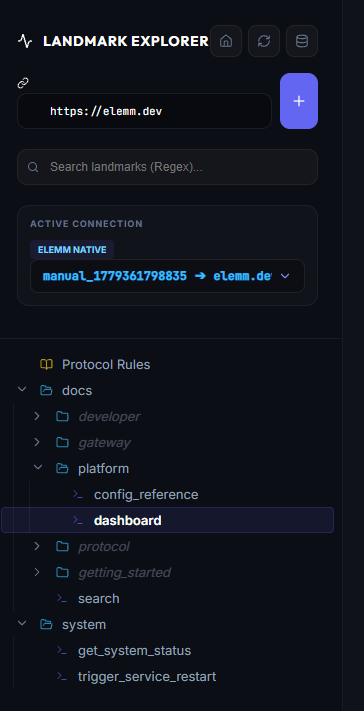
- Displays a hierarchical, interactive tree of all discovered namespaces and tools.
- Lazy Loading: To save bandwidth and speed up discovery, deeper directory levels are loaded on demand. The UI uses color coding to indicate status: Grey items have not been fetched yet, while White items mean the debugger has already loaded their underlying manifest. Clicking a grey branch triggers an auto-probe to fetch the missing tool signatures.
2. Tool Detail & Live Execution
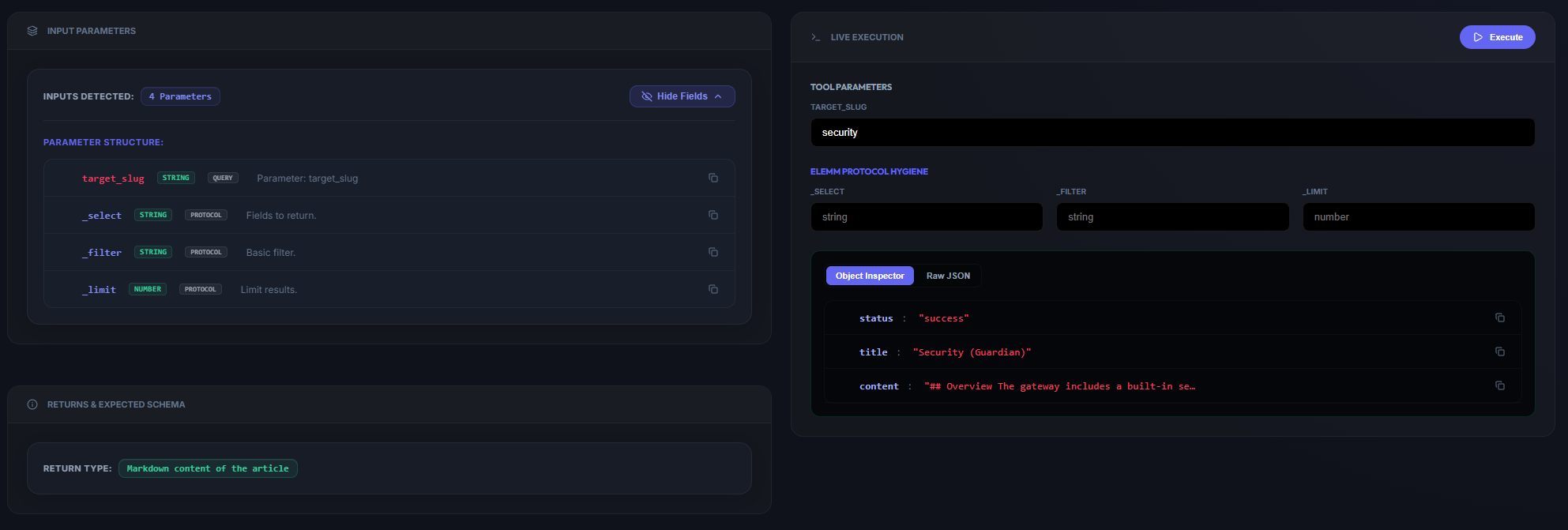
- Parameter Definitions: Lists all expected inputs with type badges (String, Integer, etc.), location hints, and descriptions.
- Protocol Hygiene Parameters: Elemm's global parameters (
_select,_filter,_limit) are available as optional inputs to allow fine-grained data extraction. Note on Lists: The ElemmResponseSquisherautomatically iterates over arrays. For example, if a response contains an array of objects underitems, typingitems.loginin the_selectfield will neatly extract theloginstring from every object in that array. Bracket notation (items[0]) is not needed! - Returns & Expected Schema:
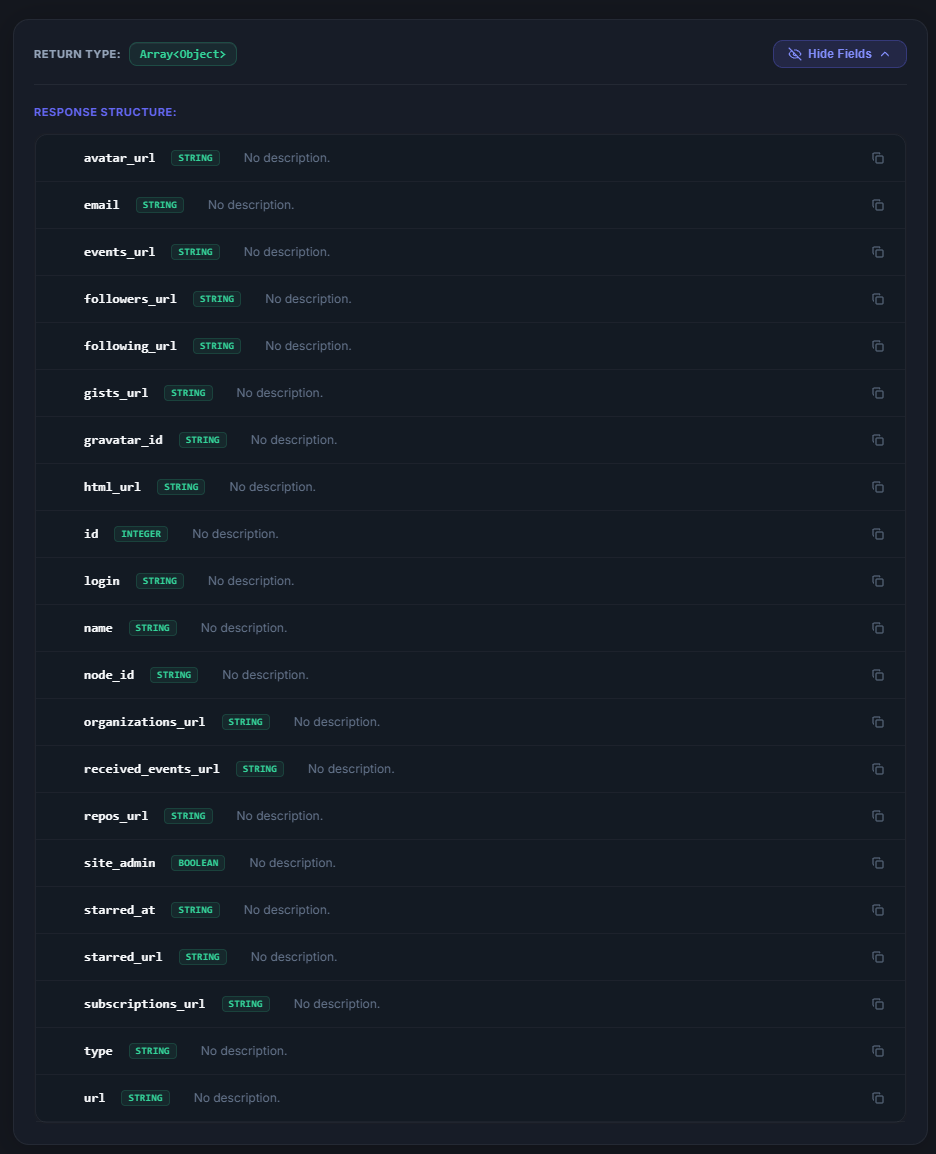
Before even executing a tool, you can expand the Returns section to inspect the exact JSON schema it will produce. This is crucial for planning your _select and _filter queries accurately.
- Direct Testing: Execute the tool directly from the UI without writing a single line of code—exactly like the LLM would.
- Object Inspector: View the raw JSON or a structured, collapsible object tree of the response.